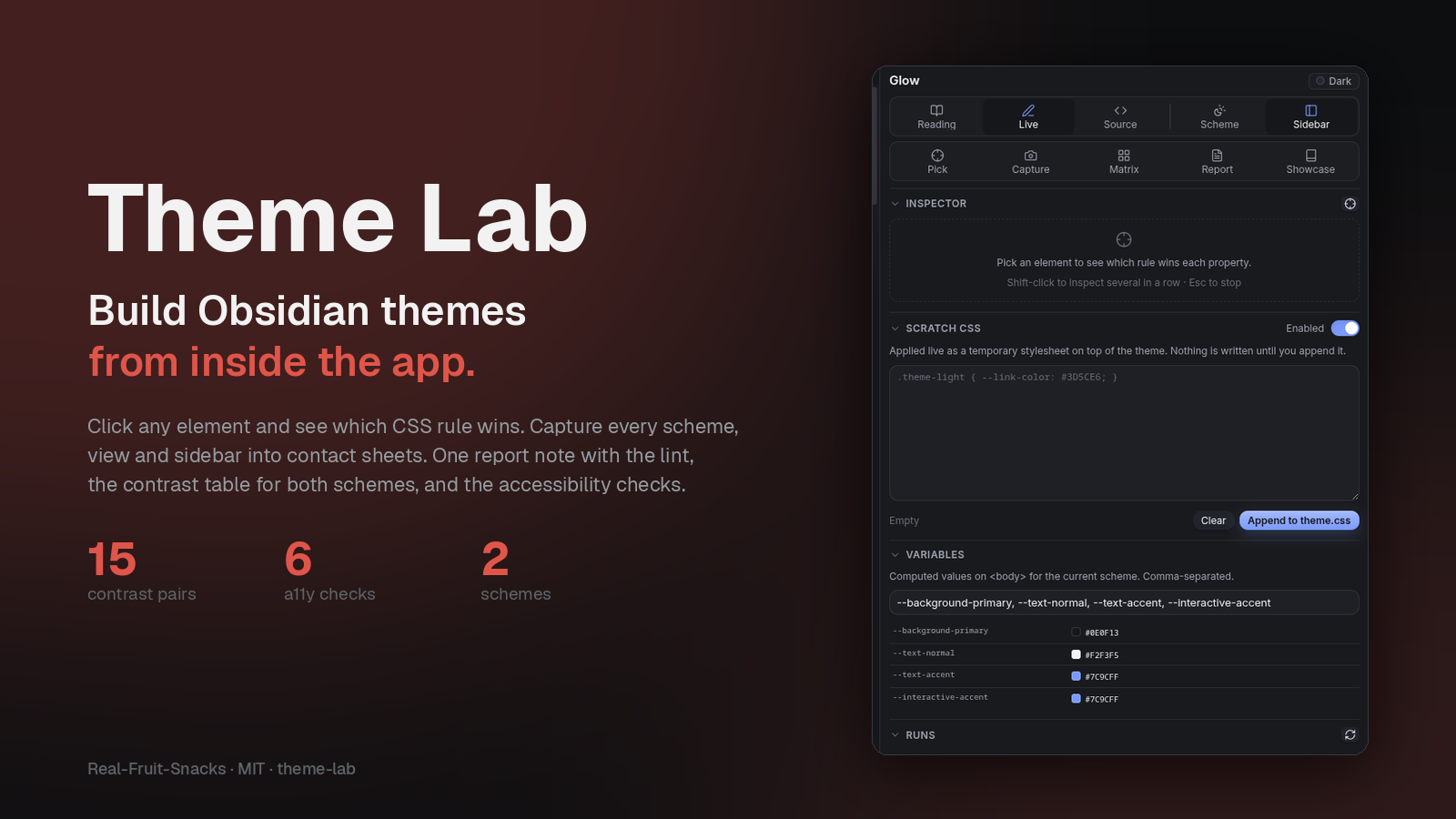
Theme Lab — build Obsidian themes from inside the app.
Four tools, one panel
Everything a theme author does by hand, done by the plugin — and written into your vault as notes and images.
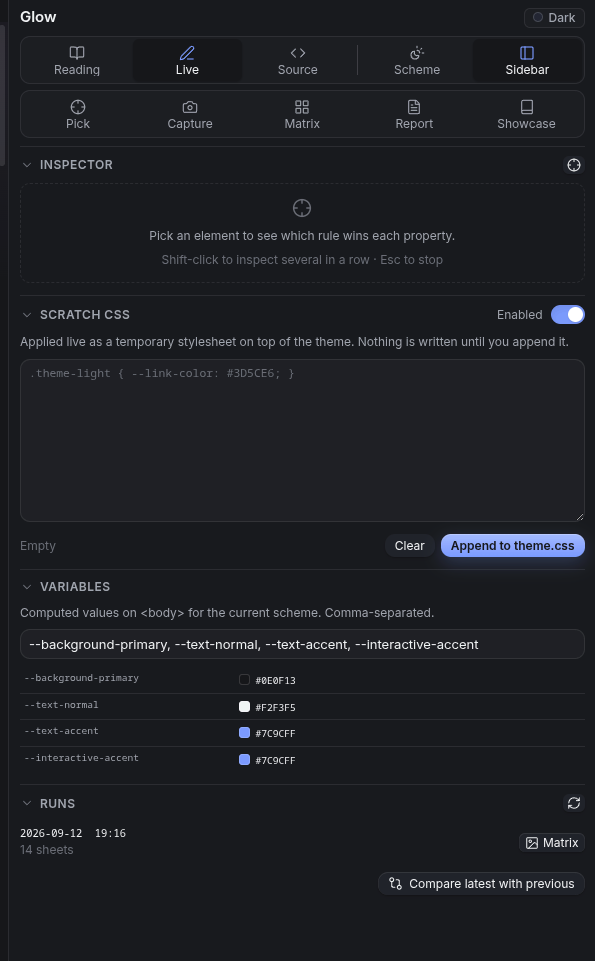
Inspect element
Click anything. Get the DOM path, the pruned HTML, the computed values, and every matching rule with specificity and origin — with a ★ on the declaration that actually won each property. "Why didn't my rule apply?" in one click.
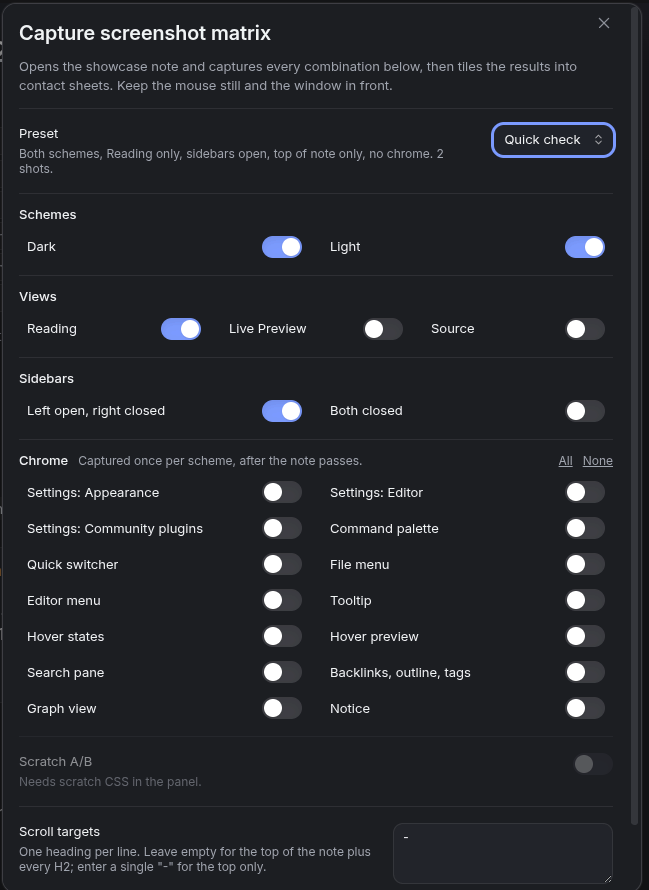
Screenshot matrix
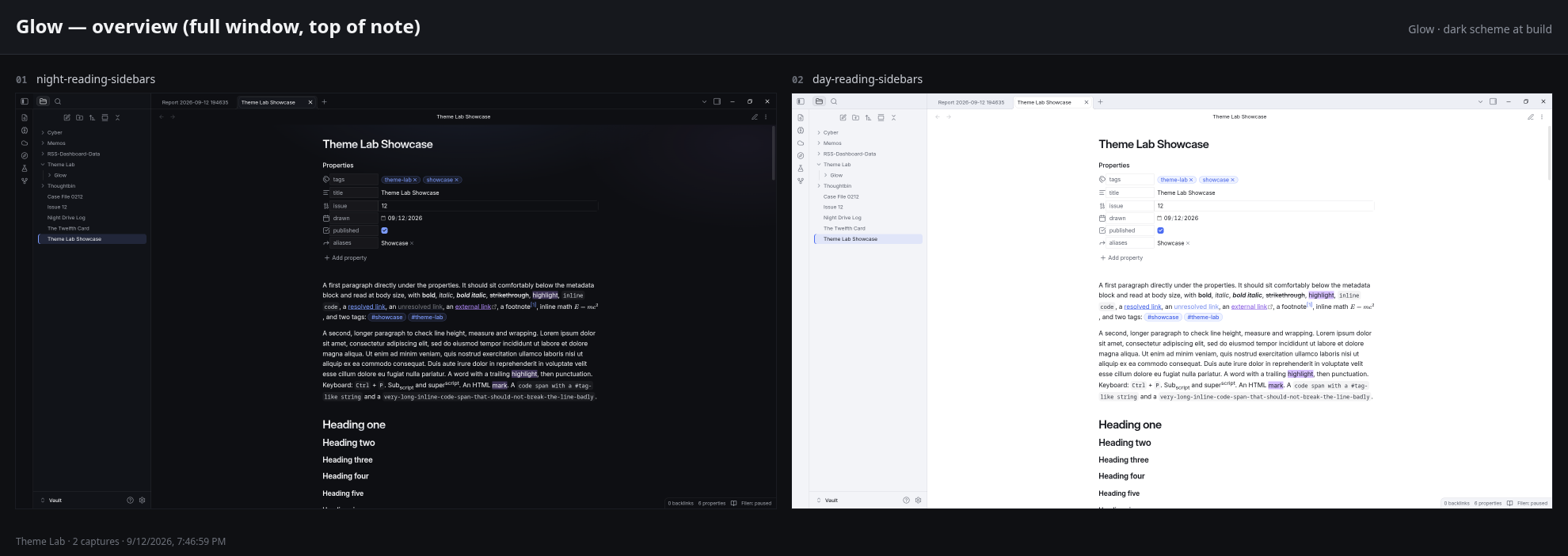
Dark and light × Reading, Live Preview, Source × sidebars open and closed, at the top of the note and every H2, paging through long sections. Then fourteen chrome captures per scheme: settings, palette, switcher, menus, tooltips, hover, preview, search, sidebar, graph, notice.
Contact sheets
A hundred captures become a dozen labelled sheets you can actually review — one per combination, an overview, one for the chrome. Each capture also gets a 1200×800 listing crop and a 1920-wide hero.
Showcase note
Every Markdown feature a theme has to style: properties, inline formatting, six headings, lists and tasks with custom states, all thirteen callouts plus the odd ones, code, tables, embeds, math, Mermaid, footnotes — and a checklist of the chrome.
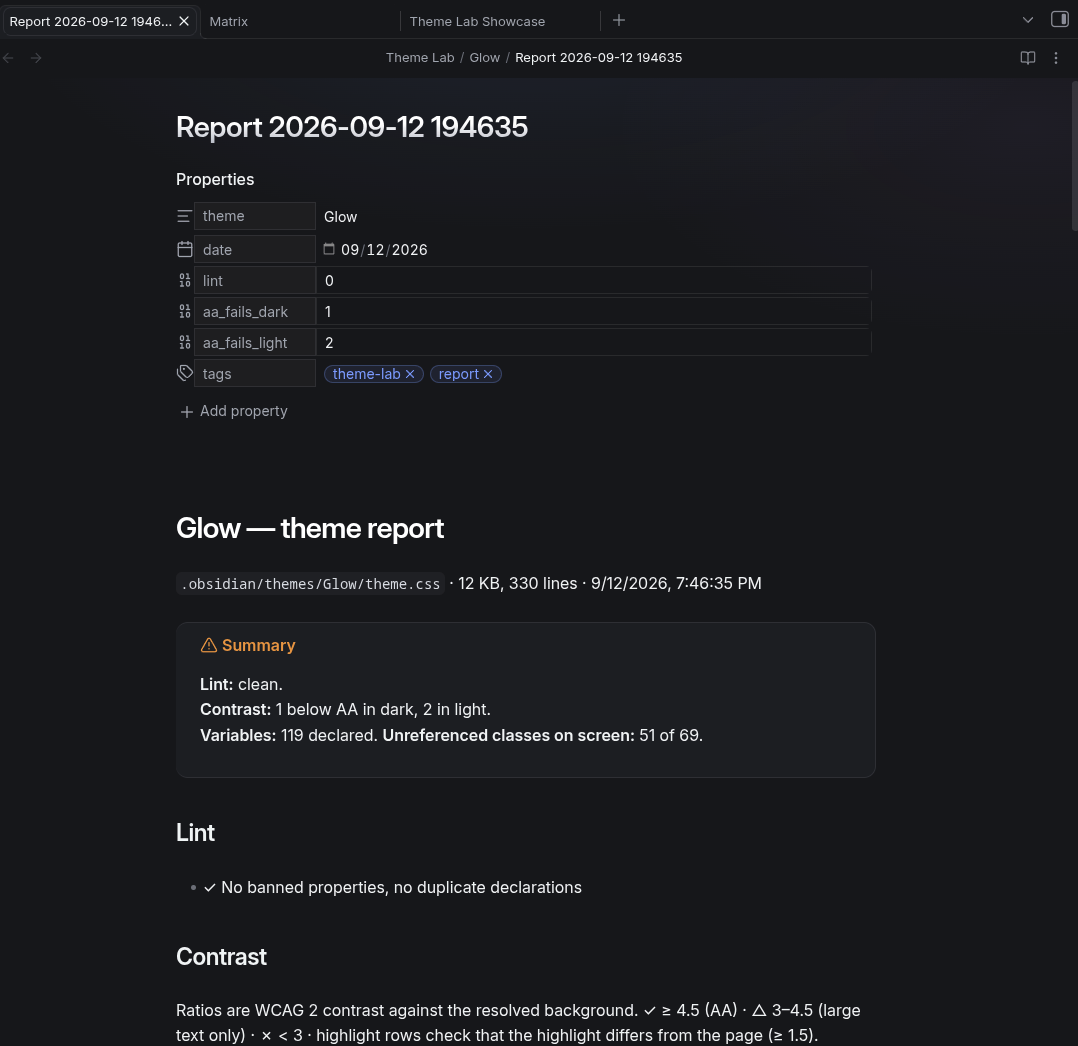
Theme report
The lint the community review runs, WCAG contrast for both schemes side by side, every declared variable with its dark and light value, variables set in one scheme only, and the Obsidian classes on screen the theme never mentions.
Scratch CSS and diffs
Try CSS live in the panel. Run the matrix with Scratch A/B to get a pixel-diff sheet of what changed, or compare any two runs. Then append it to theme.css with one button.
What it looks like
Built with Obsidian's own components, so it follows whatever theme is active — including the one you're building.
Workflow
The loop, without the reloading and squinting.
- Showcase Create the showcase note and read it once in each view. It's the checklist.
- Capture Run the matrix with a preset. Open
Matrix.mdin the run folder and look at the sheets. - Inspect When something's wrong, click it. The panel shows which rule won and why.
- Fix Write the change in Scratch CSS, watch it apply, re-run with Scratch A/B to see the diff, append to theme.css.
- Report Before a release, write the report and clear the Lint section.
Open panelCreate or open the showcase noteCapture screenshot matrixpresets: Full review · Quick check · Editor pass · Chrome only · ArtworkInspect elementclick to copy a CSS reportWrite theme reportvariables, contrast, lintCompare latest matrix run with the previous oneCapture one screenshot nowToggle dark/light schemeInstall
From the community list, or three files by hand.
- Community plugins Settings → Community plugins → Browse → search "Theme Lab".
- Manual Download
main.js,styles.cssandmanifest.jsonfrom the latest release into.obsidian/plugins/theme-lab/, then enable it.
capturePage, and real pointer and right-click events make hover states and menus appear. Nothing leaves your machine..obsidian/
plugins/
theme-lab/
main.js
styles.css
manifest.json
Theme Lab/ in your vault
Glow/
2026-09-12 194652/
Matrix.md
sheets/
shots/
Report 2026-09-12 …mdChangelog
Bare version numbers as tags; releases are built by the workflow.
- Review fixes: manifest description reworded, no
!importantin the stylesheet.
- Inspect element with the winning declaration per property.
- Screenshot matrix with section paging, fourteen chrome captures per scheme, and labelled contact sheets.
- Showcase note covering every Markdown feature and the chrome checklist.
- Theme report: lint, side-by-side contrast, variables in both schemes, unreferenced classes.
- Panel with Scratch CSS, Scratch A/B diffs and run comparison.
More from Real-Fruit-Snacks
The themes were built with this plugin.