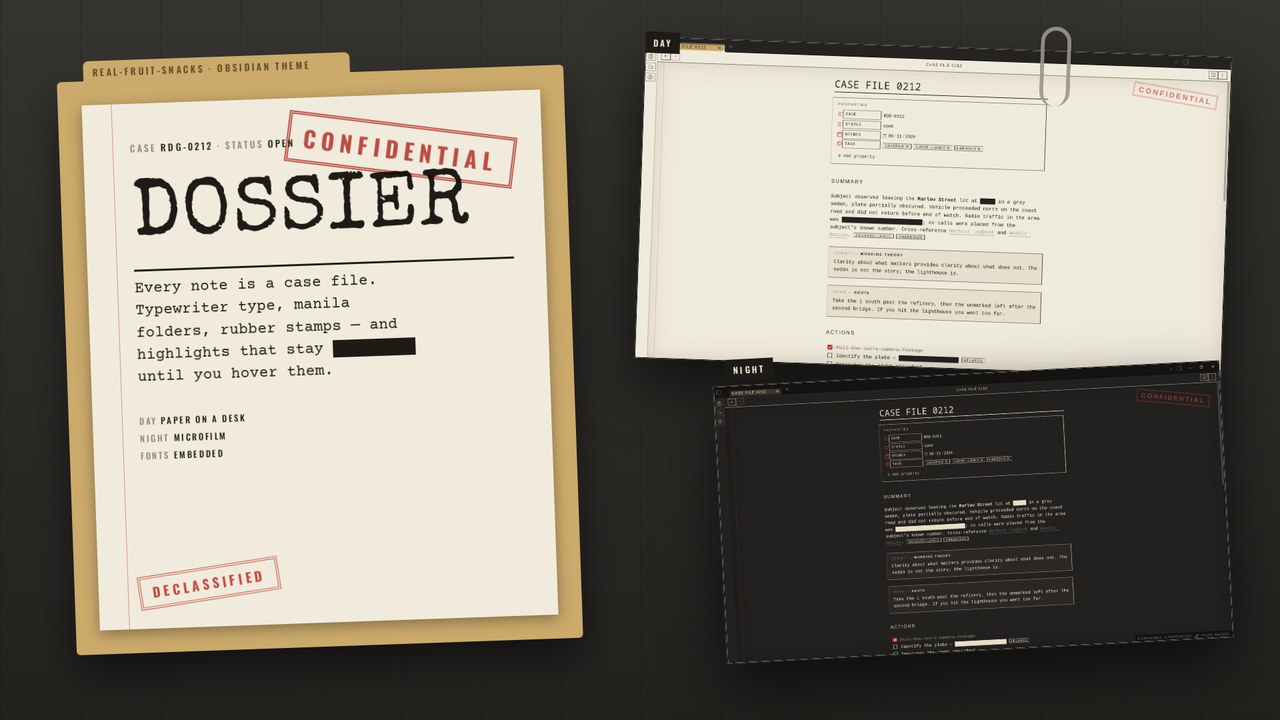
Every note is a case file.
Manila folders, typewriter type, a red margin, rubber stamps — and one trick: your highlights stay redacted until you hover them.
What changes
Obsidian's own components, dressed as a file that's been through a few hands.
Redactions
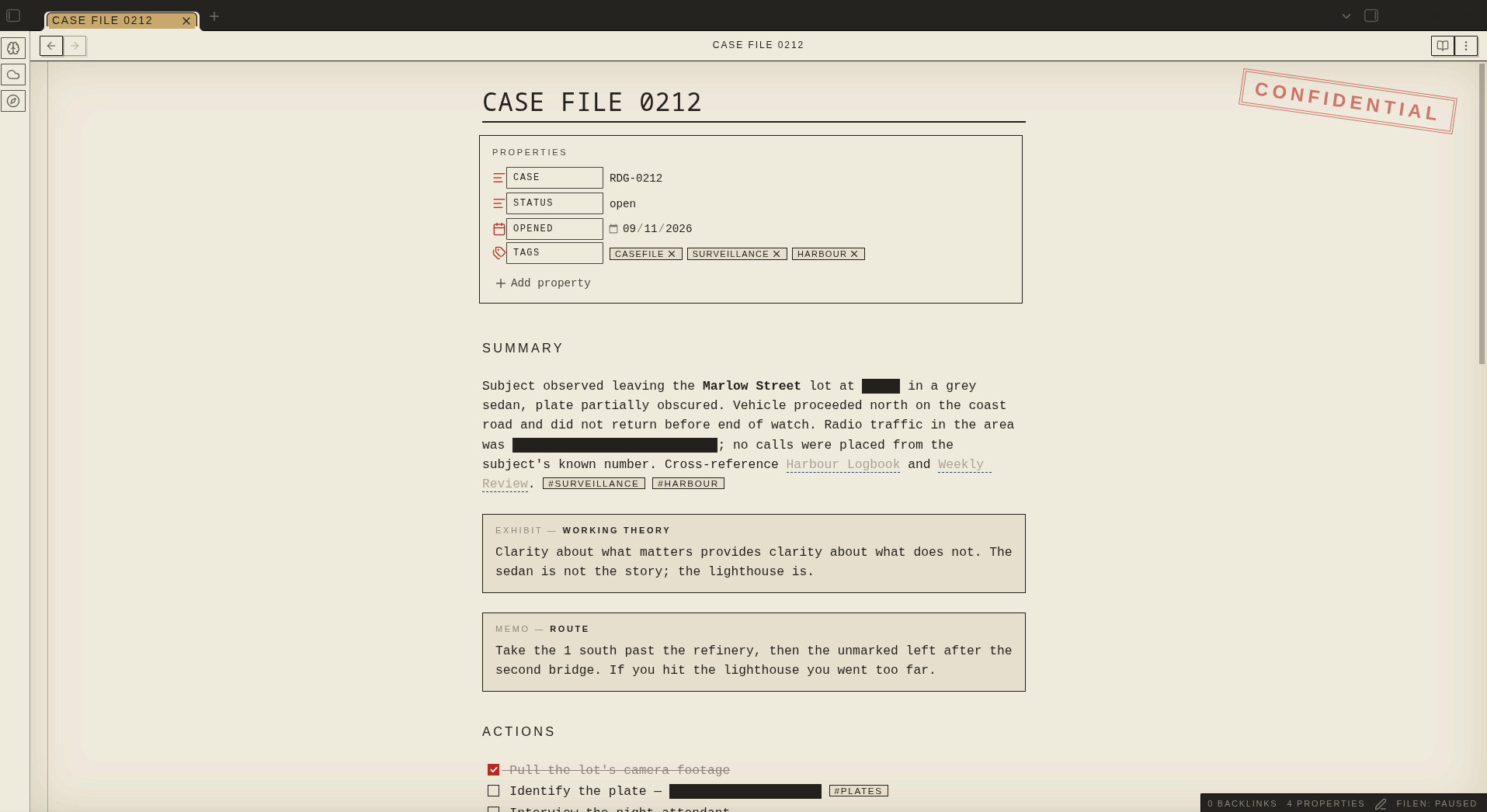
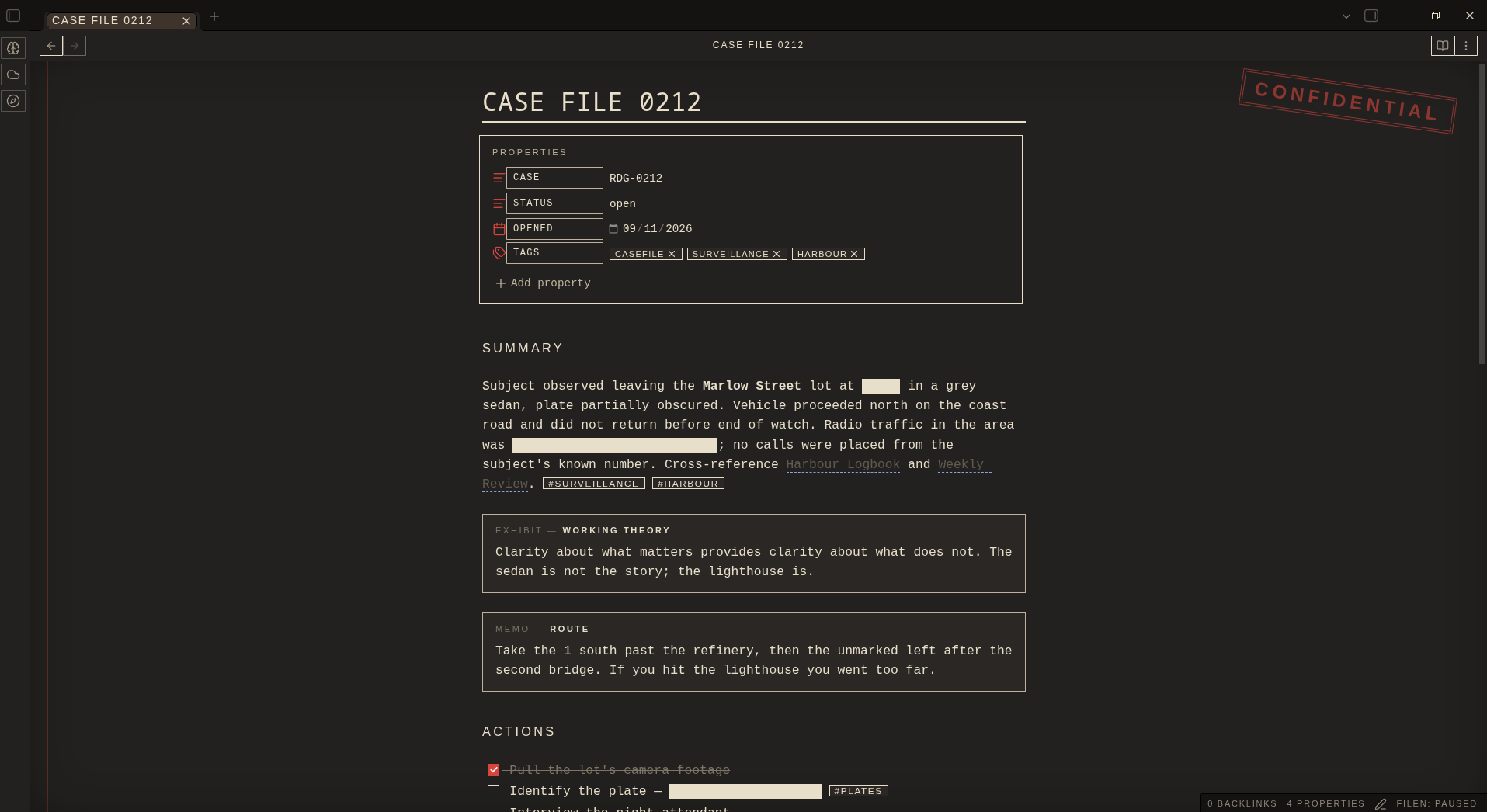
Write ==like this== and it renders as a black bar until you hover it. Spoilers, answers, passwords, punchlines — hidden in plain sight. In the editor, the line you're on reveals itself.
Typewriter type
Special Elite titles, Courier Prime body, Oswald labels. All embedded, nothing to install.
The folder
Manila tabs and file explorer, a DECLASSIFIED stamp at the bottom, a CONFIDENTIAL stamp on every note.
Exhibits and notices
Callouts are labelled by type — EXHIBIT, MEMO, NOTICE with an URGENT sticker, QUERY, STATEMENT, CLOSED.
Paper details
Red margin rule, dashed transcript code blocks, stamped tags, red-filled checkboxes, dashed-rule menus.
Day and night
Day is paper on a desk. Night is microfilm: dark paper, cream ink, cream redaction bars.
On file
Readable line length on — the stamp and margin sit around a centred page.
Install
From the community list, or two files by hand.
- Community list Settings → Appearance → Themes → Manage → search "Dossier".
- Manual Download
theme.cssandmanifest.jsonfrom the latest release into.obsidian/themes/Dossier/, then pick it under Appearance.
==, switch to Reading view, and hover the bar..obsidian/
themes/
Dossier/
theme.css
manifest.jsonPalette
Paper, folder, ink, and one red.
| Role | Day | Night |
|---|---|---|
| Paper | #F1EBDD | #1E1C19 |
| Folder | #CBAA6C | #3B3128 |
| Ink | #1E1B17 | #E8DFCB |
| Red | #B7281F | #D9433A |
| Blue | #1F3F73 | #86A9DC |
| Reveal | #F6E27A | #B89E3A |
More from Real-Fruit-Snacks
Same site, a different glow per project.