A calm dark theme with a little light in it.
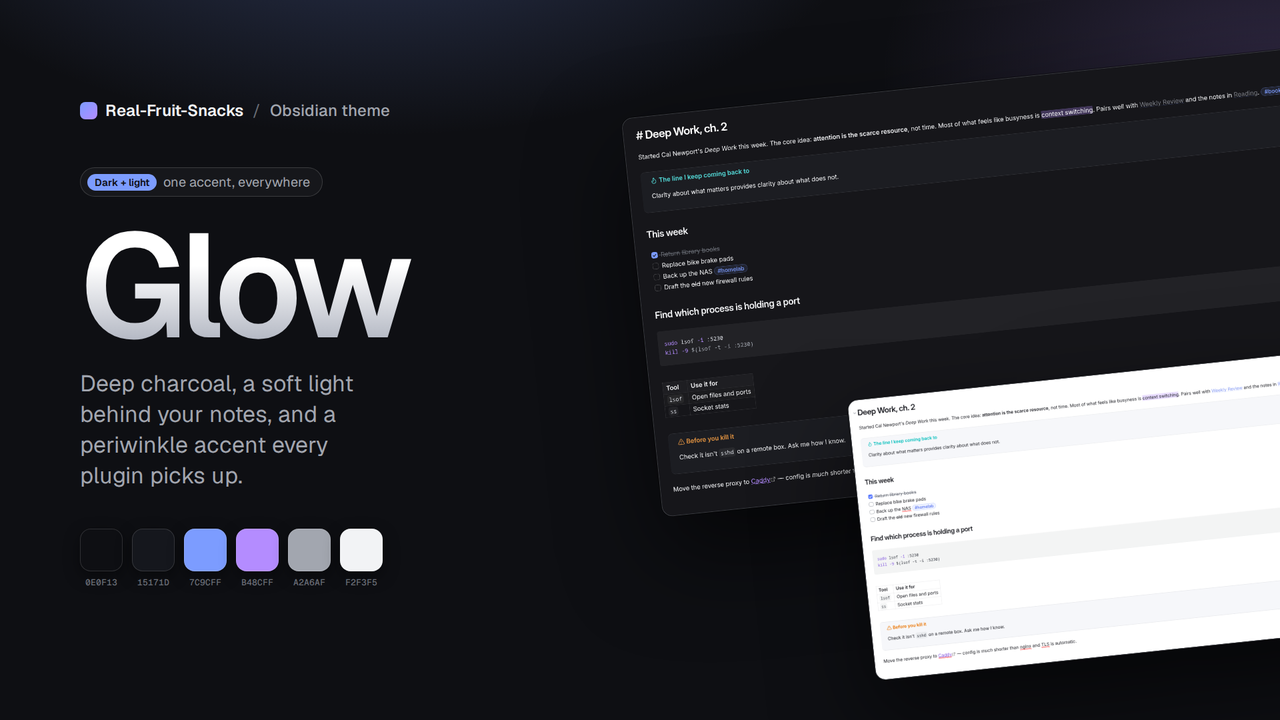
Glow gives Obsidian deep charcoal surfaces, a soft radial glow behind your notes, and one periwinkle accent that every plugin picks up. Nothing shouting.
What changes
Built on Obsidian's own CSS variables, so it stays compatible as Obsidian and your plugins update.
Quiet type
Geist if you have it, system fonts if not. Gradient note titles, comfortable line height, tighter headings.
One accent everywhere
Set through Obsidian's accent variables, so links, selections, checkboxes and plugin UI all match.
Rounded, bordered panels
Modals, menus, callouts and code blocks share the same 1px hairline and radius.
Code palette
A full syntax colour set tuned for the dark surface, with a matching light variant.
Light mode too
Same family, same accent, white surfaces. Switch with Obsidian's normal toggle.
Mobile-aware
Toolbars and navigation bars styled to match on iOS and Android.
Install
From the community list, or two files by hand.
- Community list Settings → Appearance → Themes → Manage → search "Glow".
- Manual Download
theme.cssandmanifest.jsonfrom the latest release into.obsidian/themes/Glow/, then pick it under Appearance.
.obsidian/
  themes/
    Glow/
      theme.css
      manifest.json
Palette
Six roles, two modes.
| Role | Dark | Light |
|---|---|---|
| Background | #0E0F13 | #FFFFFF |
| Surface | #15171D | #F3F4F8 |
| Text | #F2F3F5 | #14161C |
| Muted | #A2A6AF | #5A5F6B |
| Accent | #7C9CFF | #4767F0 |
| Accent 2 | #B48CFF | #7E4FE0 |
More from Real-Fruit-Snacks
Same site, a different glow per project.