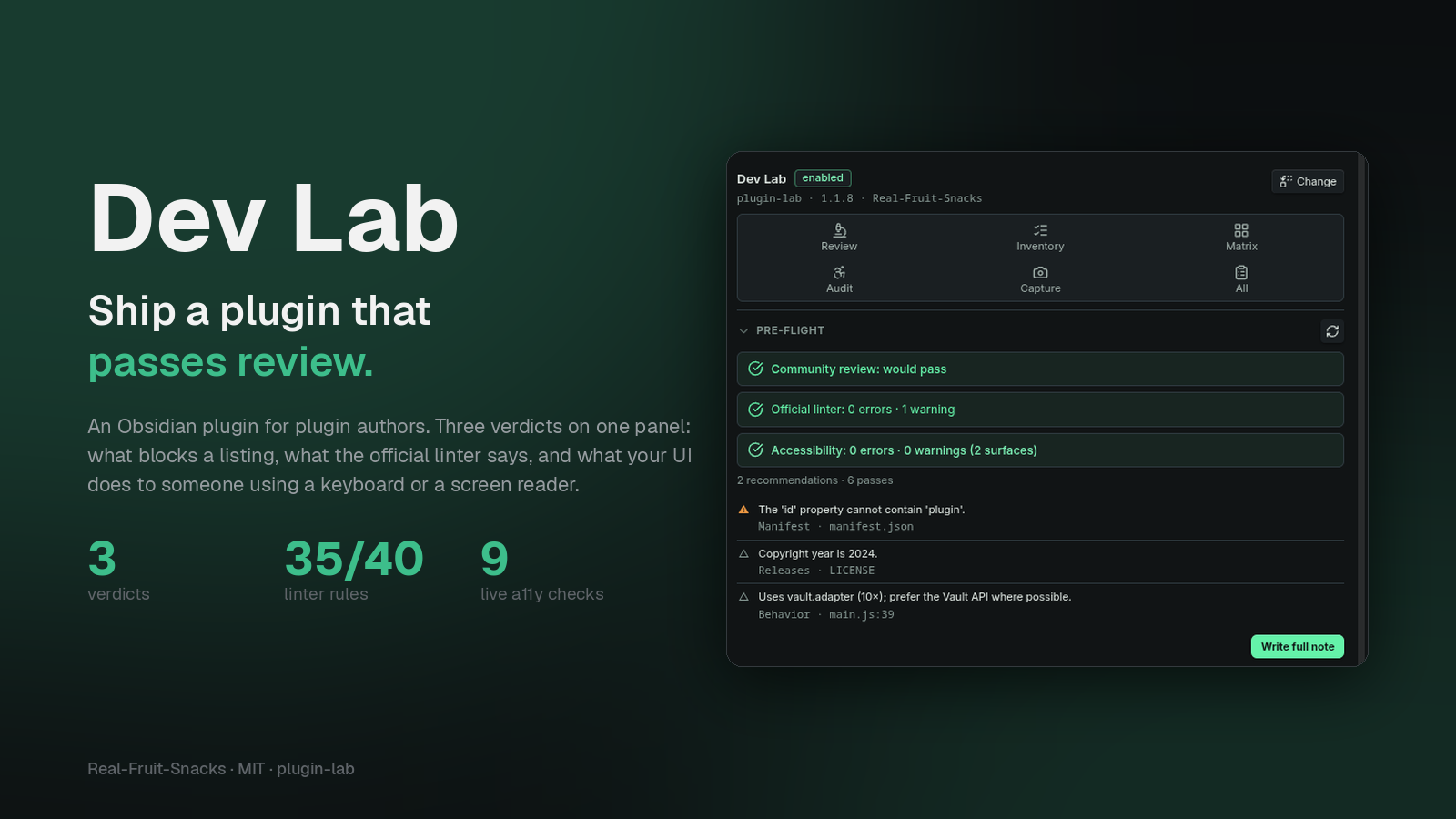
Dev Lab — ship a plugin that passes review. Three verdicts on one panel.
Three jobs, one panel
The things a plugin author does by hand before a release — or finds out about after.
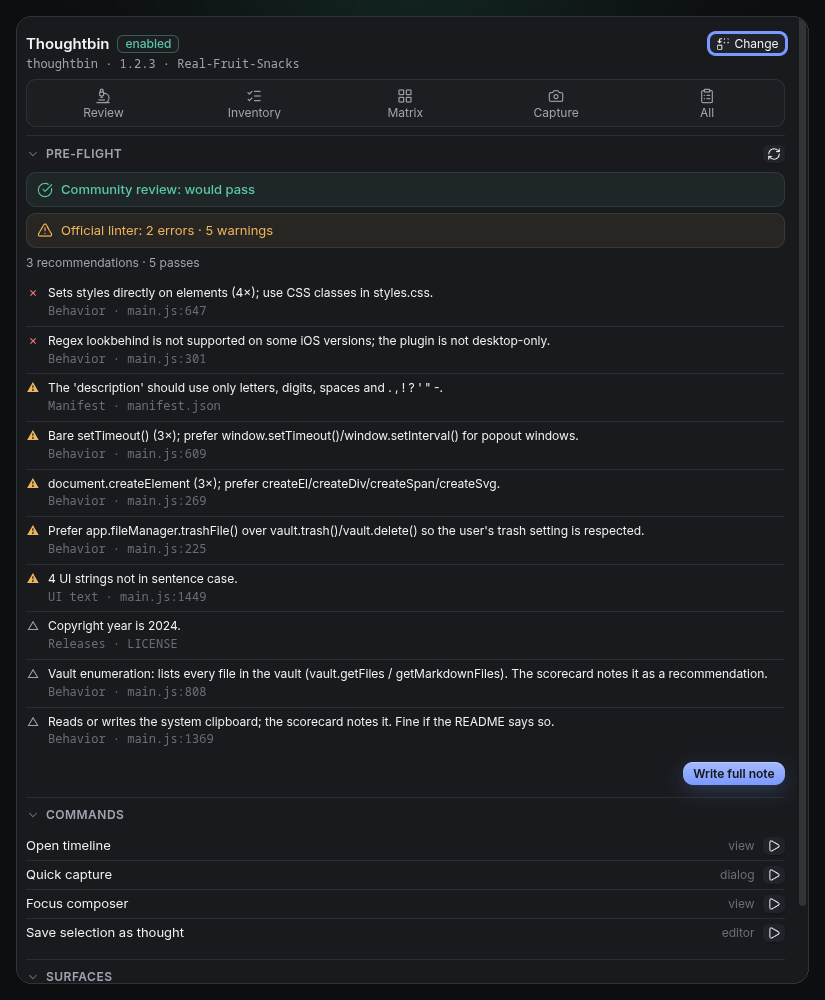
Pre-flight review
Two verdicts, kept apart: would the community review pass it, and what would the official linter say. 35 of the linter's 40 rules mirrored, with its own severities and its brand and acronym lists.
Rule id on every line
Each finding names the rule, links its doc, and points at the file and line. No guessing what a reviewer meant.
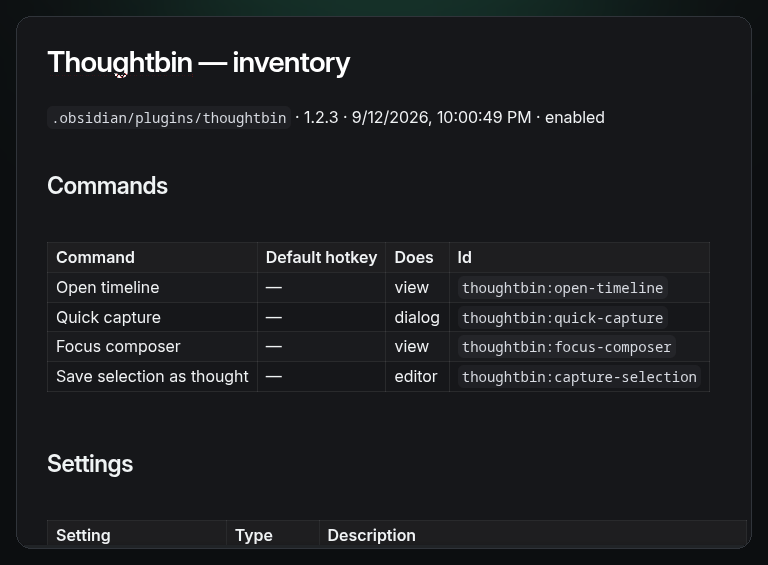
Inventory
Commands with hotkeys and what they do, settings with types and descriptions, ribbons, views, processors, URI handlers, dialogs, stored keys — and a README snippet.
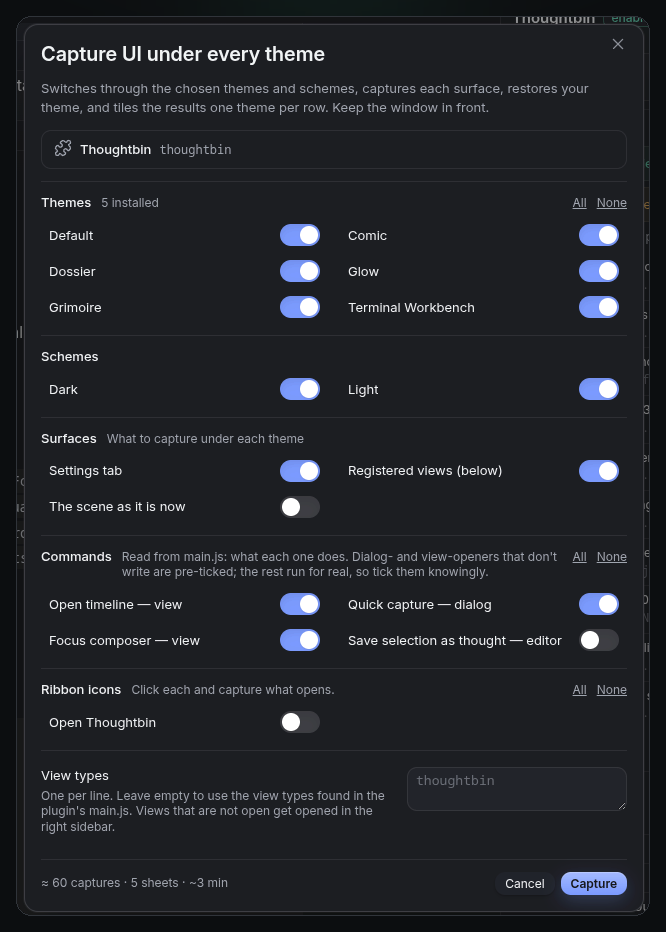
UI under every theme
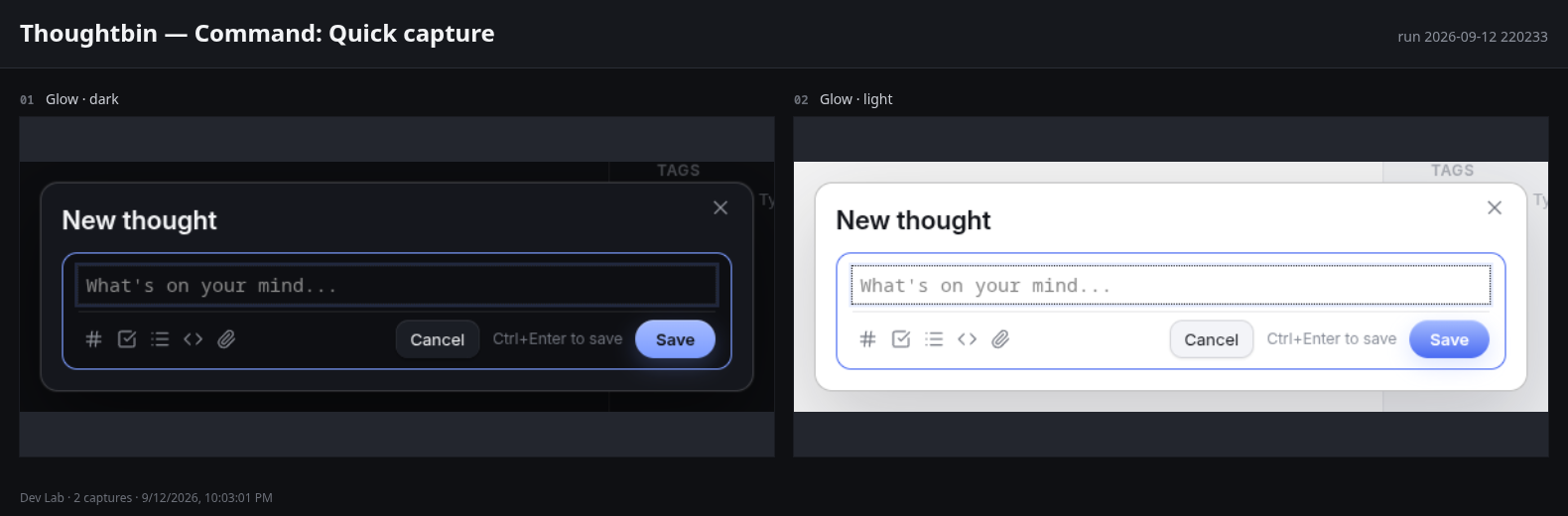
Settings tab, views, ribbon icons and commands captured under every installed theme × dark and light, tiled one theme per row. Modals, menus, popovers and notices are framed tightly.
Knows what a command does
Reads each command from the code: opens a dialog, opens a view, needs an editor, writes files, uses the network. Safe ones are pre-ticked for capture; the rest are labelled.
Every plugin at once
Review every installed plugin into one summary, worst first, each row linking to its full note. Useful for your dependencies too.
Two verdicts, on purpose
A plugin can be listed and still fail the linter. Dev Lab never conflates the two.
The gate for the directory. Only rules verified to block a listing count here: the manifest words the review rejects, a malformed version, obfuscation, analytics SDKs. Calibrated against a dozen listed plugins until it matched their real scorecards.
eslint-plugin-obsidianmd, the guideline linter reviewers point people to. Errors are its enabled rules, warnings its warn-level rules. Not enforced by the directory — but it's what "please follow the guidelines" means.
Workflow
Open the panel, pick the plugin you're working on, keep it open.
- Pre-flight Read it as you edit; re-check after a reload. Write the full note when it's clean.
- Inventory Before the README. Paste the snippet.
- Matrix Before the screenshots: settings tab, views and the safe commands under the themes your users have.
- Review all Now and then, to see which of your own dependencies would fail today's review.
Open panelReview a pluginpre-flight for the community reviewReview every installed pluginsummary note + one note eachWrite a plugin inventorycommands, settings, surfacesCapture a plugin's UI under every themeCapture one screenshot nowInstall
From the community list, or three files by hand.
- Community plugins Settings → Community plugins → Browse → search "Dev Lab".
- Manual Download
main.js,styles.cssandmanifest.jsonfrom the latest release into.obsidian/plugins/plugin-lab/, then enable it.
capturePage. No network requests; everything stays in your vault..obsidian/
plugins/
plugin-lab/
main.js
styles.css
manifest.json
Dev Lab/ in your vault
Thoughtbin/
Review 2026-09-12 …md
Inventory 2026-09-12 …md
2026-09-12 211209/
Matrix.md
sheets/
Summary 2026-09-12 …mdChangelog
Bare version numbers as tags; releases are built by the workflow.
- Renamed to Dev Lab — the directory rejects "Plugin" in a name. Same id, same commands.
- Pre-flight review with separate community-review and linter verdicts; 35 official rules mirrored.
- Review every installed plugin into a linked summary.
- Inventory of commands, settings and surfaces, with a README snippet.
- UI captured under every installed theme × dark/light, including dialogs, menus and notices opened by commands.
- Right-sidebar panel with live pre-flight.
More from Real-Fruit-Snacks
Tools for people who make things for Obsidian, and the themes made with them.